
It's heartbreaking hearing stories from new customers moving from other web hosts who suspended their account without a valid reason. They come in frustrated as they were not aware of such limits as they were buried in complicated terms. At NeroNext, our limits are out there in plain english, so you know exactly what you're getting. With our unique environment, you also get what you pay for, and can see your usage in real-time.
Regardless the web hosting service you order from NeroNext, we want you to know exactly what you're getting. It's our goal to provide high-quality services at affordable rates, ensuring you're not overpaying for system resources. This article explains resource limits per web hosting service offered at NeroNext.
The NeroNext Difference
One very unique feature about NeroNext is our virtualized cloud hosting environment. Each web hosting package is deployed on its own unique partition with specific resources allocated and limits. This gives each customer their own file system that's independent of the rest of the node, leading to high performance, reliability, and security.
Resource Usage Dashboard
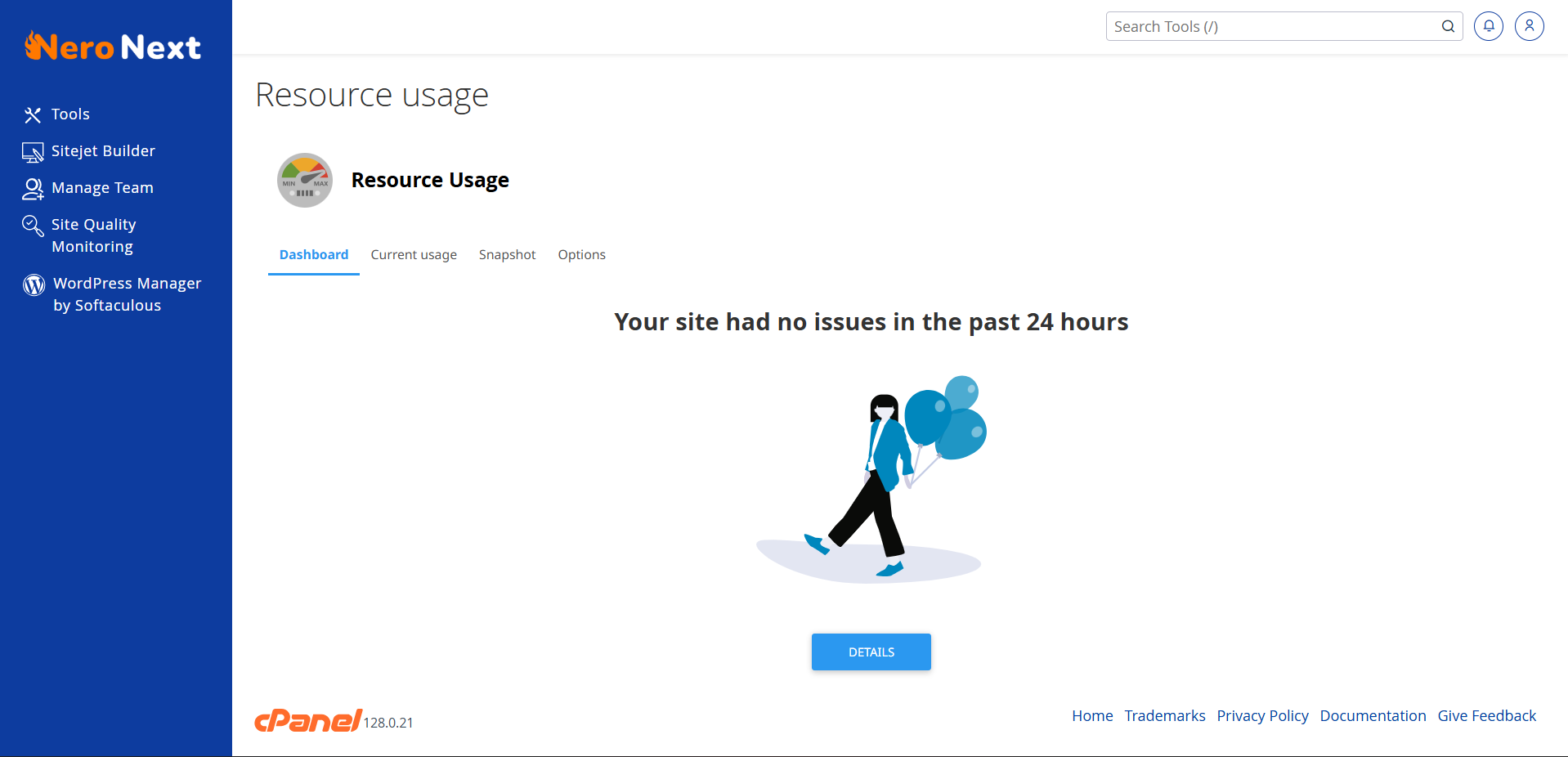
With this technology, each package has a set amount of resources, and if these limits are encroached, you'll be able to easily upgrade to the next package in real time. Additionally you don't have to play a "guessing game" all of this data can be seen in real-time right inside of cPanel -> Resource Usage:
Also, hitting limits for a minute or two isn't a concern, sometimes traffic spikes happen, but if a limit is reached longer than five minutes, our system will take a snapshot so you can review the logs to see if you have a problematic script (i.e. WordPress plugin), had a specific script/task running (such as a backup), or are having an influx of traffic, so you can make an upgrade decision based off data, not assumptions.
Before we start, let me define some terms you're going to see and help explain them so they're understandable.
Limits Explanation
- Inodes: An inode is a data structure in a Unix-style file system that describes a file-system object such as a file or a directory. To put it more simply, consider it a single file.
- CPU: A central processing unit that contains the circuitry necessary to interpret and execute program instructions. To put it more simply, consider this the "horsepower" to deliver your website.
- Storage: The amount of allocated space on our Solid State Drives, which are protected by Raid 10. All data on your web hosting account, including your website files, databases, and email accounts are included in this.
- Memory: Memory limit corresponds to the amount of memory actually used by end processes. This includes processes like PHP. Once this limit is reached, the system will first free up memory used for disk cache, and if that is not enough, it will kill some of the processes. This will usually cause an account to serve 500 and 503 errors.
- I/O: IO limits restrict the data throughput. When limit is reached, the processes are throttled (put to sleep). This makes sure that processes cannot go over the limit,. Yet don't stop working, nor getting killed – they just work slower when the limit is reached.
- IOPS: I/O Operation limits restrict the total number of read/write operations per second. When the limit is reached the read/write operations stop until current second expires.
- EP: Limit on entry processes. Usually represents max number of concurrent connections to LiteSpeed dynamic scripts as well as SSH and cron jobs running simultaneously.
- NPROC: Max number of processes (i.e. PHP, LiteSpeed).
Web Hosting Account Limits
The majority of our Web Hosting customers never come close to reaching their limits. When they do, they often find they had an email account full of junk/spam that needed to be cleared (reaching Inode limit) or a specific WordPress plugin/theme contained a code error causing a memory leak (reaching RAM/CPU limit). These are very simple fixes that our team can assist with.
As long as you regularly apply software updates (i.e. updating WordPress and your plugins and themes) and running the latest version of PHP, it's unlikely to run into performance-related issues.
To make these limits even easier to understand, we've broken down an approximate number of visitors each package can server per month. Additionally, an average fresh installation of WordPress, uses around 4,000 Inodes. Obviously these are estimates, if you use WordPress with a lot of plugins, and/or a poorly developed theme, this number maybe less. But for the most part, these estimates serve our customers well and most never run into an issue.
Silver
Suitable for serving up to ~15,000 monthly visitors.
- Websites/Domains: Ability to host 1
- Storage: Up to 10GB NVMe (Unlimited inodes)
- Memory: Up to 1GB RAM concurrent usage
- CPU: Up to 1 Core concurrent usage
- I/O: Up to 50MB/s
- IOPS: 1024
- EP: 20
- NPROC: 70
- 25 Emails per hour per domain
- Max Email attachment size: 100M
- cPanel Individual Mailbox Quota 1GB
- POP Connections per IP - 3 connections per IP - no hourly limit
- IMAP Connections per IP - 20 connections per IP - no hourly limit
- SMTP Connections: 100
Gold
Suitable for serving up to ~25,000 monthly visitors.
- Websites/Domains: Ability to host 5
- Storage: Up to 25GB NVMe (Unlimited inodes)
- Memory: Up to 2GB RAM concurrent usage
- CPU: Up to 1 Cores concurrent usage
- I/O: Up to 100MB/s
- IOPS: 2048
- EP: 25
- NPROC: 80
- 50 Emails per hour per domain
- Max Email attachment size: 100M
- cPanel Individual Mailbox Quota 3GB
- POP Connections per IP - 3 connections per IP - no hourly limit
- IMAP Connections per IP - 20 connections per IP - no hourly limit
- SMTP Connections: 100
Bronze
Suitable for serving up to ~50,000 monthly visitors.
- Websites/Domains: Ability to host unlimited
- Storage: Up to 50GB NVMe (Unlimited inodes)
- Memory: Up to 3GB RAM concurrent usage
- CPU: Up to 2 Cores concurrent usage
- I/O: Up to 150MB/s
- IOPS: 4096
- EP: 30
- NPROC: 90
- 75 Emails per hour per domain
- Max Email attachment size: 100M
- cPanel Individual Mailbox Quota 10GB
- POP Connections per IP - 3 connections per IP - no hourly limit
- IMAP Connections per IP - 20 connections per IP - no hourly limit
- SMTP Connections: 100
Diamond
Suitable for serving up to ~100,000 monthly visitors.
- Websites/Domains: Ability to host unlimited
- Storage: Up to 75GB NVMe (Unlimited inodes)
- Memory: Up to 4GB RAM concurrent usage
- CPU: Up to 2 Cores concurrent usage
- I/O: Up to 250MB/s
- IOPS: 5120
- EP: 30
- NPROC: 100
- 100 Emails per hour per domain
- Max Email attachment size: 100M
- cPanel Individual Mailbox Quota 15GB
- POP Connections per IP - 3 connections per IP - no hourly limit
- IMAP Connections per IP - 20 connections per IP - no hourly limit
- SMTP Connections: 100